Discord: Disable DMs from server members.
By default when you join any server on discord, members from that server are able to send you private messages (DMs).
You can use the following to prevent this:
Step 1 - Default Setting: Set the default when joining any new discord to not allow this option (won't stop any you have already joined).
Desktop
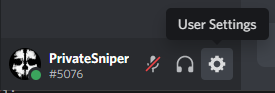
- Click on user settings icon
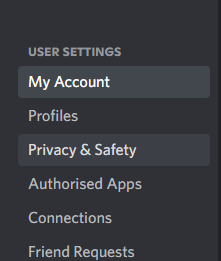
- Click on Privacy & Safety
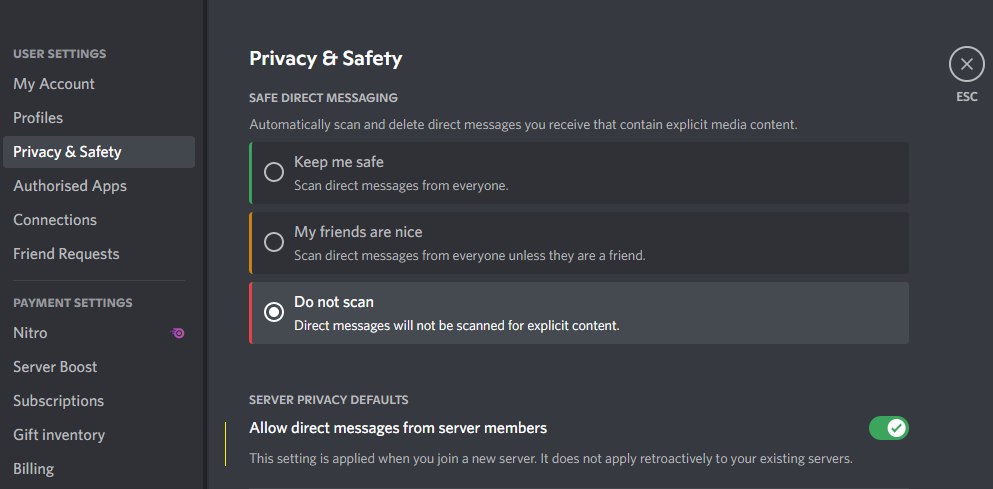
- Untick "Allow direct messages from server members".
Mobile
The steps for mobile are similar however you click your avatar in the navigation panel at the bottom, then privacy and safety from there.
Step 2 - Turn off DMs for any servers you have already joined
Desktop
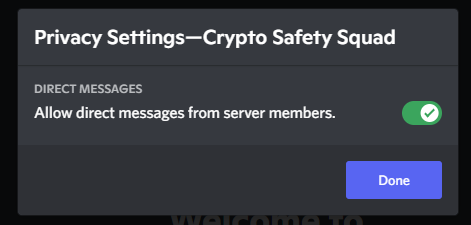
- Right click on the server icon and click on Privacy Settings
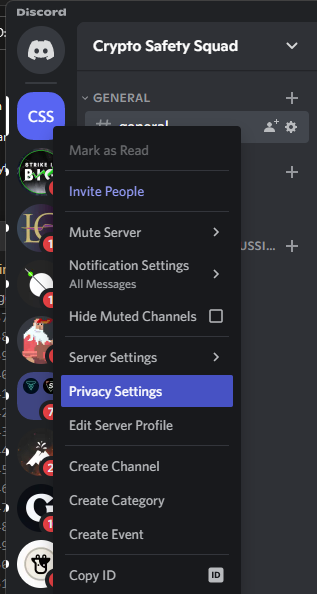
- Untick "Allow direct messages from server members". and click Done.
Mobile
Similar to desktop, from the server list you can long tap the server icon or click the three dots, then scroll down the popup panel and untick "Allow Direct Messages".